Energy analysis
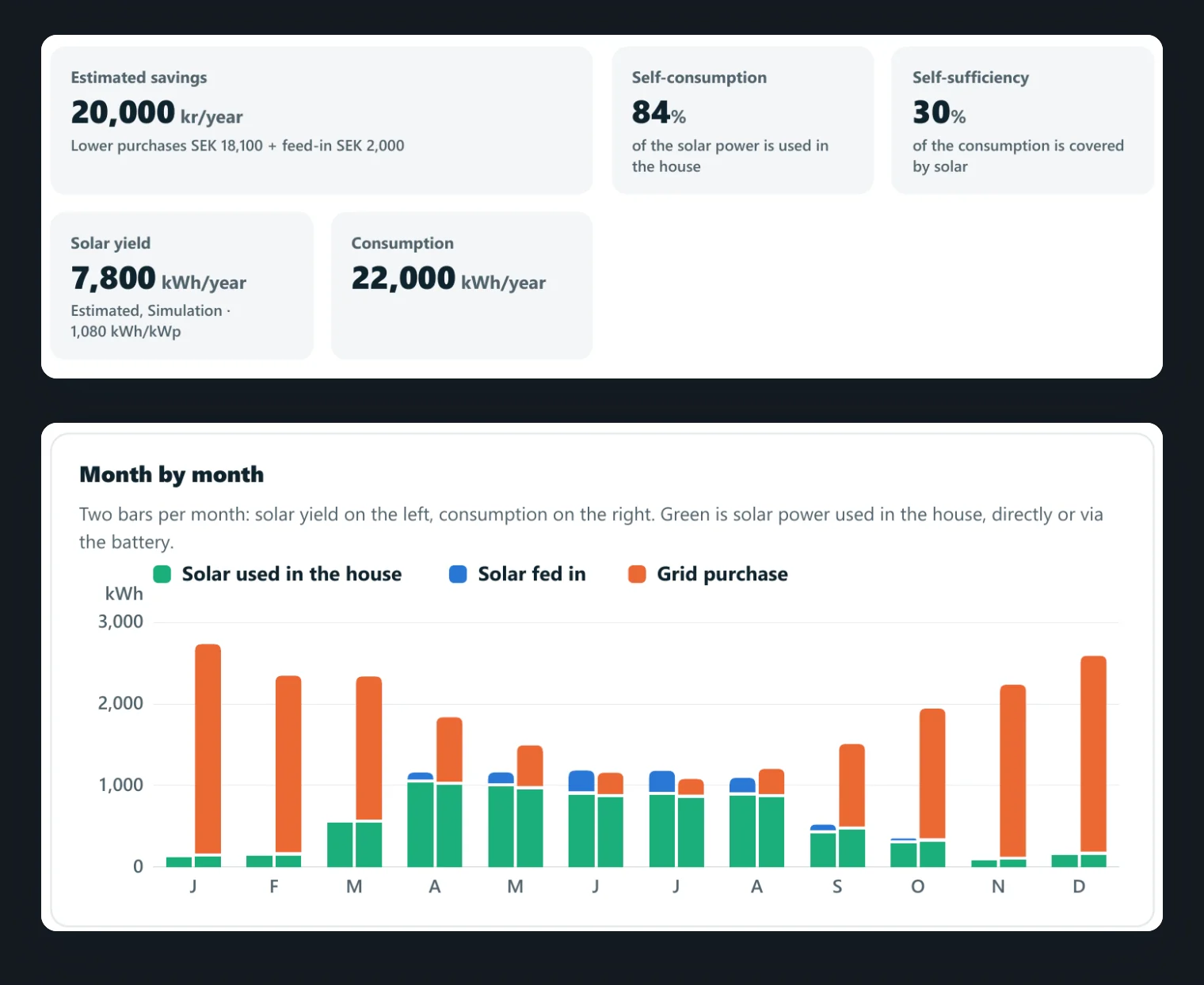
Production against consumption, hour by hour.
Savings and payback on the customer’s own consumption.

Solar design software for installers
From the aerial photo to a report your customer understands – roof, facade, panels, battery storage and payback in one tool.
Drawn in RitwerkLastora Logistik · 69.8 kWp · ≈ 62,800 kWh/yr
01Draw
Draw the outline on the aerial photo – Inner edges raises the roof with ridges, hips and gables.

02Build the house
Build the house, not just the roof – cladding, windows, doors, your company logo and the trees around it.

03Panels and strings
Panels from the register on the roof face, strings in colour and Voc at −25 °C checked against the inverter datasheet.

The account costs nothing. Search for the address and draw your first roof.
04The report
The PDF report with the 3D design, roof faces, yield and payback – in your customer’s language.

All in one
Energy analysis
Savings and payback on the customer’s own consumption.
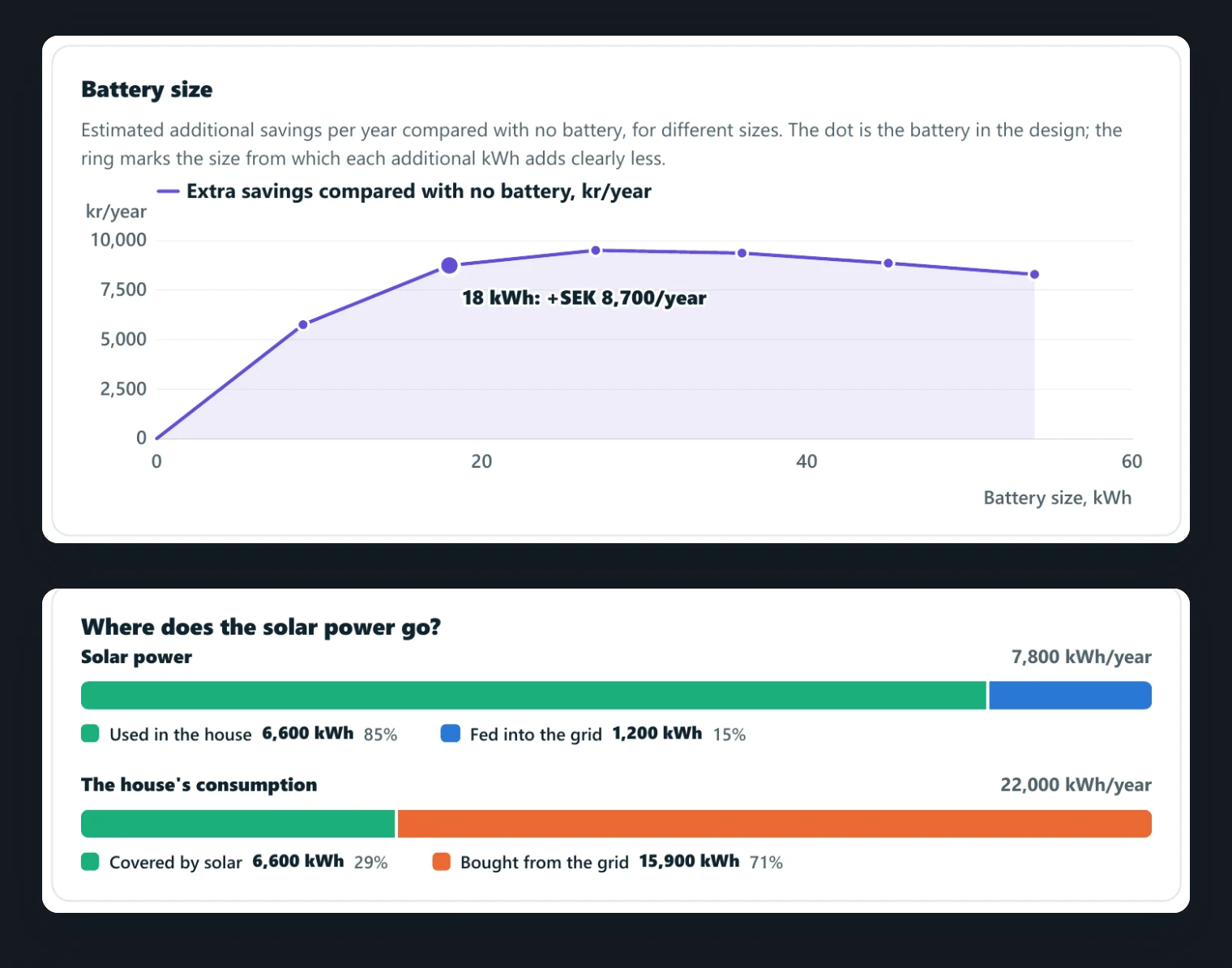
The battery
The designer tries every battery hour by hour and suggests the size.
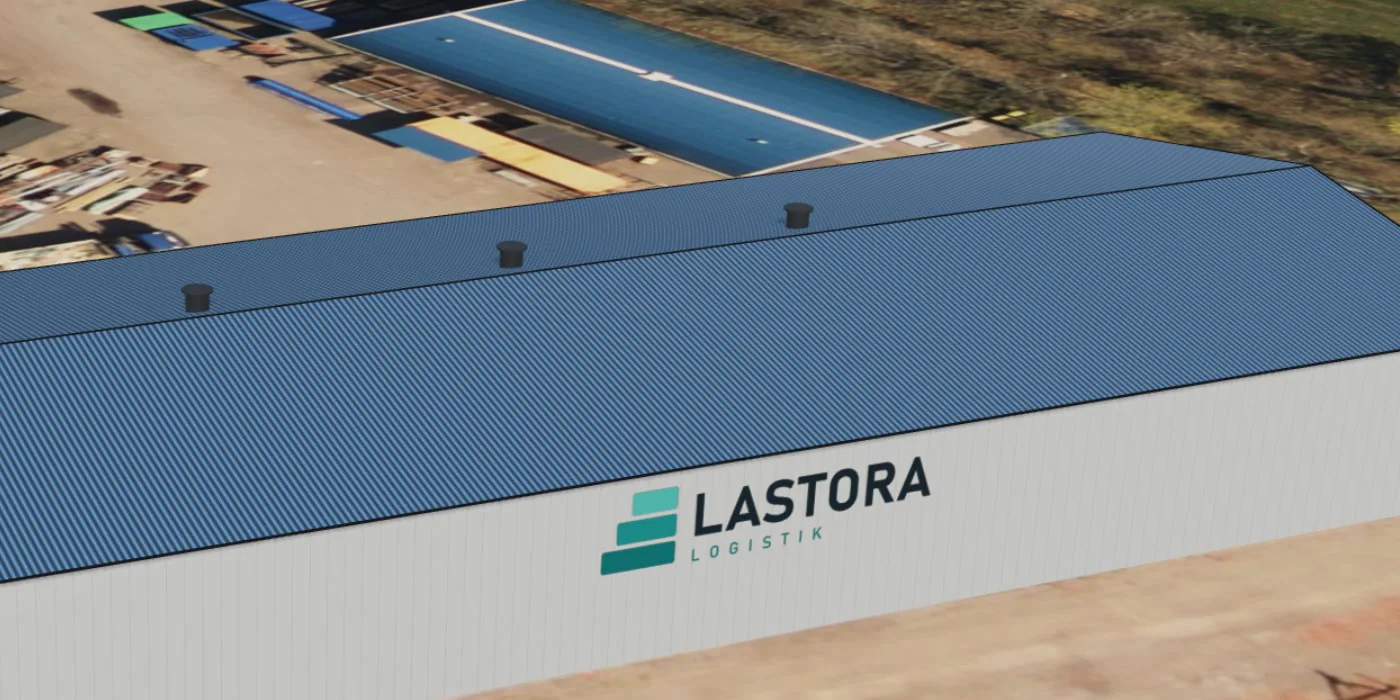
Facade and logo
Upload your logo and place it on the facade – it appears in the 3D image.
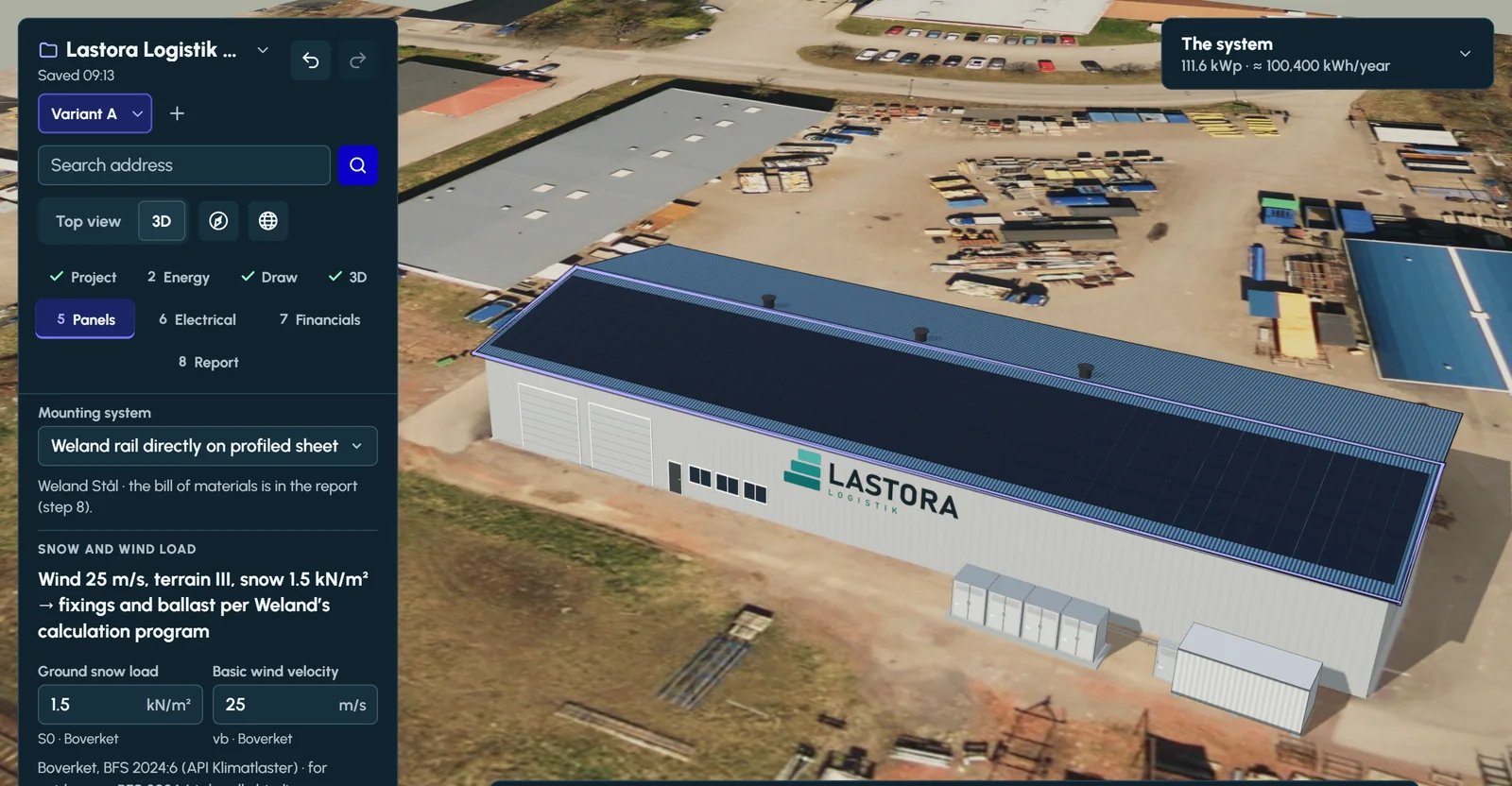
Snow and wind
Snow and wind loads to BFS 2024:6 in Sweden and the Eurocodes elsewhere.
Why Ritwerk
From the roof to the customer’s report without switching programs.
| Ritwerk | SolarEdge Designer | PV*SOL premium | |
|---|---|---|---|
| Runs in | The browser, on a computer and iPad, with an account that costs nothing | The browser, sign-in with a SolarEdge account | Windows 10/11, installed locally |
| Energy and battery | Yield from PVGIS 5.3 against the customer’s consumption hour by hour, with savings and payback period; battery sizing is tested against 2025 hourly prices in Sweden, Germany, the Netherlands, Austria, France, Poland and northern Italy | Consumption profile, sizing of the C&I battery CSS-OD; the weather data source is not stated | Meteonorm 9, PVGIS, Solcast, SolarAnywhere; battery, dynamic tariffs and peak shaving since 2027 R1 |
| For the customer | PDF report in A4 with a 3D view of the house; in Pro, a quote from the design with a 3D view | Sales proposal with ROI, bill of materials as PDF or spreadsheet | Project report as PDF or Word in over 20 languages |
| Price | Designer at no cost; Pro €69 per user per month excl. VAT, with volume discount, first month at no cost | No charge | €845 per user per year excl. VAT (list price) |
The details about SolarEdge Designer and PV*SOL premium come from the vendors’ own pages, checked on 14 November 2026 – the sources are listed on the comparison pages.
Questions and answers
Ritwerk is browser-based solar design software for PV installers. You trace the outline of the house on aerial imagery, the designer raises the roof in 3D, and then you place panels and strings, see the yield and hand the customer a PDF report.
No. The designer runs in the browser on a computer or an iPad. It needs WebGL for the 3D view, which modern browsers have.
The register holds 811 products: 317 panel models, 456 inverters and 38 batteries, among them Fronius, SMA, Huawei, Sungrow, GoodWe, Solis, REC, LONGi and BYD. Every product has a product sheet with a link to the manufacturer’s datasheet. If a panel is missing, you can add it yourself.
From PVGIS 5.3, the European Commission’s open solar service, with the SARAH3 satellite database as the default for Europe. If PVGIS does not respond, the designer uses a fixed estimate and says so.
Ritwerk costs nothing: the designer, the PDF report and three saved designs, with an account and no card. Ritwerk Pro – everything you need to sell the system, with quotes from the design, quote design, digital signing, energy analysis and battery – costs €69 per user per month, excluding VAT, with a volume discount down to €55 per user and a quote for more than 25 users. The first month costs nothing.
Start in the designer at no cost and move to Pro when the quotes go out.
Pro from €69 per user per month, excl. VAT – the first month costs nothing.